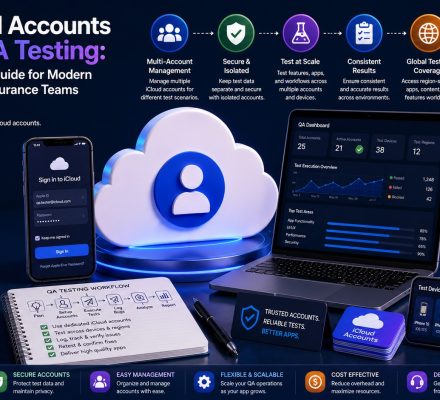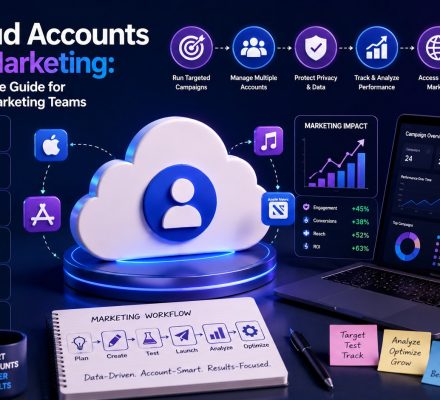
Managing one iCloud account is easy. Managing several at the same time is where things become complicated. Whether you’re a 👨💻 developer testing apps, 📈 marketer managing campaigns, 🏢 business owner running multiple brands, or 🔐 privacy-focused user separating digital identities, learning how to manage multiple iCloud accounts can dramatically improve organization and efficiency.
Apple’s ecosystem works best when everything is connected. However, many professionals intentionally maintain multiple Apple identities to separate projects, improve security, organize communications, and streamline operations.
Without a proper system, users often encounter:
- ❌ Device assignment confusion
- ❌ Password management problems
- ❌ Mixed personal and business data
- ❌ Recovery email issues
- ❌ Storage inefficiencies
- ❌ Team access complications
The solution isn’t simply creating more accounts. It’s building a workflow that allows those accounts to remain organized as your digital ecosystem grows.
This guide focuses on practical account management strategies used by professionals, agencies, developers, and businesses that operate multiple Apple environments.
📑 Table of Contents
- 🎯 Why People Use Multiple iCloud Accounts
- 🍎 Apple ID vs iCloud: Understanding the Difference
- 📌 Who Benefits Most From Multiple Accounts?
- 🛠️ Build Your Account Structure Before Creating Accounts
- 📂 Creating an Organized Multi-Account System
- 📱 Device Management Strategies
- 🔐 Security and Access Control
- ☁️ Storage Management Best Practices
- ⚙️ Advanced Multi-Account Workflows
- 🚀 Future Trends in Apple’s Ecosystem
- ❓ Frequently Asked Questions
- ✅ Key Takeaways
- 🏁 Conclusion
🎯 Why People Use Multiple iCloud Accounts
Over the past decade, digital workflows have become increasingly complex. While a single Apple ID remains sufficient for many users, professionals often require multiple identities for different operational purposes.
The reason is simple: organization.
When business activities, testing environments, marketing operations, and personal communications all exist under a single account, management becomes difficult.
💼 Business Operations
Business owners commonly separate accounts based on operational needs.
Examples include:
- 👤 Personal account
- 🏢 Business operations account
- 📈 Marketing account
- 📂 Project-specific account
This separation improves organization while reducing accidental data overlap.
👨💻 Development & Testing
Developers frequently use multiple Apple IDs to simulate real-world users.
Separate testing environments help validate:
- 🧪 Application onboarding
- 📱 Device synchronization
- ☁️ Cloud functionality
- 🔄 Update behavior
- ⚙️ User permissions
Maintaining isolated testing accounts reduces risk and improves development accuracy.
📈 Marketing & Campaign Management
Marketing teams often manage multiple brands, campaigns, and audiences simultaneously.
Dedicated accounts help separate:
- Campaign assets
- Communication workflows
- Brand documentation
- Project resources
🔒 Privacy & Identity Separation
Many users prefer maintaining distinct digital identities.
Instead of storing everything in one account, they create dedicated environments for different activities.
This approach can improve both privacy and organization.
🍎 Apple ID vs iCloud: Understanding the Difference
Before mastering how to manage multiple iCloud accounts, it’s important to understand a common misconception.
Many people believe Apple ID and iCloud are the same thing. They are closely connected, but they perform different functions.
| Component | Purpose |
|---|---|
| 🍎 Apple ID | Your primary identity across Apple services |
| ☁️ iCloud | Cloud storage and synchronization platform |
| 📱 App Store | App purchases and downloads |
| 📧 iCloud Mail | Email communications |
| 📸 Photos | Media storage and synchronization |
Apple provides extensive documentation explaining how Apple IDs interact with iCloud and other services through the Apple Support Center.
Understanding this distinction is important because managing multiple accounts involves more than simply remembering email addresses.
It also requires managing:
- 🔑 Authentication systems
- 📲 Trusted devices
- 📧 Recovery methods
- ☁️ Storage allocation
- 🔐 Security settings
- 👥 Access permissions
📌 Who Benefits Most From Multiple Accounts?
Not everyone needs multiple Apple identities.
In fact, creating unnecessary accounts can increase complexity without delivering meaningful benefits.
However, certain groups gain significant advantages from structured multi-account environments.
🏢 Businesses Managing Multiple Brands
Companies operating multiple brands often assign dedicated Apple environments to each brand.
This creates:
- 📂 Better organization
- 📊 Clearer reporting
- 🔐 Improved security
- 👥 Easier delegation
📈 Marketing Agencies
Agencies frequently manage multiple client projects.
Dedicated accounts simplify asset organization and reduce operational confusion.
👨💻 Developers & QA Teams
Testing environments often require separate identities to accurately simulate different user scenarios.
🧑💼 Freelancers
Freelancers managing multiple long-term clients can benefit from maintaining separate digital workspaces.
🛠️ Build Your Account Structure Before Creating Accounts
The biggest mistake users make is creating accounts first and building processes later.
Successful organizations do the opposite.
Before creating a new account, define:
- 🎯 Account purpose
- 👤 Ownership
- 📧 Recovery information
- 📱 Device assignments
- ☁️ Storage requirements
- 🔐 Security responsibilities
📊 Example Account Framework
| Account Type | Primary Function |
|---|---|
| 👤 Personal | Private devices and family use |
| 🏢 Business | Company operations |
| 📈 Marketing | Campaign management |
| 👨💻 Development | Testing environments |
| 📂 Archive | Long-term storage |
Establishing a framework early dramatically reduces future management challenges.
📂 Creating an Organized Multi-Account System
The foundation of successful account management is documentation.
As the number of accounts grows, relying on memory becomes increasingly risky.
📝 Create an Account Registry
Maintain a secure inventory that contains:
- 📧 Account email
- 🎯 Purpose
- 📅 Creation date
- 📱 Assigned devices
- 🔑 Recovery details
- ☁️ Storage information
🏷️ Use Standardized Naming Conventions
Consistent naming makes account management much easier.
Examples:
- brand.support@icloud.com
- brand.marketing@icloud.com
- brand.testing@icloud.com
- project.team@icloud.com
⚡ Standardize Account Deployment
Businesses that regularly expand their Apple ecosystem often use standardized onboarding processes.
When acquiring additional Apple ID accounts, maintaining consistent documentation, naming conventions, and security settings can significantly improve long-term management.
In the next section, we’ll explore device assignment systems, security frameworks, storage optimization strategies, and workflow processes that professionals use to efficiently manage multiple iCloud accounts.
📱 Device Management Strategies
One of the most overlooked aspects of learning how to manage multiple iCloud accounts is device organization.
Many users focus on creating accounts but fail to establish clear device assignment rules. As the number of devices and accounts grows, confusion often follows.
A professional device management strategy ensures that every account has a clear purpose and every device has a defined role.
🎯 Assign a Primary Account to Each Device
The simplest approach is assigning one primary iCloud account to each device.
For example:
| 📱 Device | ☁️ Assigned Account |
|---|---|
| Personal iPhone | Personal Account |
| Business iPhone | Business Account |
| Marketing iPad | Marketing Account |
| Testing Device | Development Account |
This reduces accidental synchronization issues and helps maintain cleaner workflows.
🔄 Minimize Frequent Account Switching
Switching between Apple IDs on the same device may seem convenient, but frequent switching can create management challenges.
Potential issues include:
- ⚠️ Sync inconsistencies
- ⚠️ Backup confusion
- ⚠️ Authentication errors
- ⚠️ File accessibility problems
- ⚠️ Notification disruptions
If switching is necessary, maintain a documented process and verify backups before making changes.
📋 Create a Device Assignment Log
Organizations managing multiple Apple environments often maintain a device inventory.
This inventory typically includes:
- 📱 Device name
- 🔢 Serial number
- ☁️ Assigned iCloud account
- 👤 Responsible user
- 📅 Deployment date
- 🔐 Security status
This simple practice can save hours of troubleshooting in the future.
🔐 Security and Access Control
Security becomes increasingly important as the number of accounts grows.
Managing two accounts may be simple. Managing twenty requires a structured security framework.
Without proper controls, even a small mistake can create significant operational risks.
🔑 Use Unique Passwords for Every Account
One of the most common mistakes is password reuse.
Every Apple account should have a unique password.
Benefits include:
- 🛡️ Reduced security risks
- 🔒 Improved account isolation
- 🚨 Easier incident containment
- 📊 Better access control
📲 Enable Two-Factor Authentication
Two-factor authentication adds another layer of protection.
For business environments, it should be considered mandatory.
Advantages include:
- ✅ Stronger account security
- ✅ Login verification
- ✅ Unauthorized access prevention
- ✅ Security alerts and notifications
👥 Define Ownership and Responsibility
Every account should have a clearly assigned owner.
Document:
- 👤 Account owner
- 📧 Recovery manager
- 📲 Authentication device holder
- 🔐 Security administrator
- 📋 Backup contact
Clear ownership prevents confusion when issues arise.
📝 Maintain Recovery Documentation
Account recovery information should always be documented securely.
This includes:
- 📧 Recovery email addresses
- 📱 Recovery phone numbers
- 📲 Trusted devices
- 🔑 Authentication methods
Without proper documentation, recovering access can become unnecessarily difficult.
☁️ Storage Management Best Practices
Storage management becomes more important as account numbers increase.
Without a strategy, users often overpay for storage or struggle to locate important files.
📊 Categorize Storage Requirements
Not all accounts require the same amount of cloud storage.
| Account Type | Typical Storage Usage |
|---|---|
| 👤 Personal | High |
| 🏢 Business | Medium to High |
| 📈 Marketing | Medium |
| 👨💻 Development | Low to Medium |
| 📂 Archive | High |
Understanding usage patterns helps allocate resources more efficiently.
🗂️ Separate Active and Archived Data
Many organizations maintain dedicated archive accounts for long-term storage.
This provides several benefits:
- 📂 Cleaner active environments
- ⚡ Faster file access
- 📊 Improved organization
- 🔍 Easier information retrieval
🧹 Schedule Storage Audits
Storage should be reviewed regularly.
A quarterly audit can identify:
- 📁 Duplicate files
- 📸 Unnecessary media
- 📂 Obsolete project assets
- ☁️ Redundant backups
- 📋 Outdated documentation
Regular maintenance helps control costs and improve efficiency.
⚙️ Advanced Multi-Account Workflows
Professionals who successfully manage multiple iCloud accounts rarely rely on memory alone.
Instead, they create repeatable systems and workflows.
🚀 The Account Onboarding Workflow
Whenever a new account is added, follow a standardized process:
- 🎯 Define account purpose
- 👤 Assign ownership
- 🔐 Configure security settings
- 📧 Document recovery methods
- 📱 Assign devices
- 📋 Update inventory records
This ensures consistency across all accounts.
📅 The Monthly Review Process
High-performing organizations regularly review account status.
Monthly reviews typically cover:
- 📊 Storage utilization
- 🔐 Security settings
- 📱 Device assignments
- 👥 User access permissions
- 📂 Project relevance
Regular reviews help identify problems before they become serious.
🗑️ The Account Retirement Workflow
Inactive accounts should not simply be abandoned.
Instead, implement a structured retirement process.
- 📂 Backup important data
- 📁 Transfer necessary assets
- 🔐 Review security settings
- 📋 Update documentation
- 🚫 Disable unnecessary access
This prevents data loss and improves long-term organization.
📈 Scaling From Five Accounts to Fifty
The management techniques that work for a few accounts often break down at larger scales.
As account numbers grow, operational discipline becomes increasingly important.
Organizations successfully managing dozens of accounts typically focus on:
- 📋 Documentation
- 🏷️ Naming conventions
- 🔐 Security consistency
- 📱 Device assignment policies
- 👥 Ownership tracking
- ☁️ Storage optimization
- 📊 Regular auditing
These systems create a scalable foundation that supports long-term growth.
In the final section, we’ll explore common mistakes users make when managing multiple Apple identities, future trends in Apple’s ecosystem, frequently asked questions, key takeaways, and a complete conclusion on how to manage multiple iCloud accounts.
🚀 Future Trends in Apple’s Ecosystem
As Apple’s ecosystem continues to evolve, account management is becoming more sophisticated.
Businesses, developers, and professional users are demanding greater flexibility, stronger security, and improved collaboration features.
While Apple still centers its ecosystem around individual Apple IDs, several trends are shaping the future of multi-account management.
☁️ Increased Cloud Integration
Cloud-based workflows continue to expand across Apple’s services.
This means account organization will become even more important as users rely on iCloud for:
- 📁 File storage
- 📸 Photo synchronization
- 📧 Email communication
- 📅 Calendar management
- 📝 Notes and productivity tools
Users who establish strong management systems today will be better prepared for future growth.
🔐 Stronger Security Requirements
Cybersecurity threats continue to evolve.
As a result, account security standards are becoming more rigorous.
Future account management will likely place greater emphasis on:
- 🛡️ Multi-factor authentication
- 📲 Device verification
- 🚨 Security monitoring
- 🔑 Credential protection
- 👥 Access management
Organizations managing multiple accounts should anticipate increasingly strict security expectations.
👥 Better Team Collaboration Tools
Many businesses operate within Apple’s ecosystem.
As organizational use cases grow, collaboration features may continue improving to support teams that manage shared resources and workflows.
This could simplify multi-account operations for agencies, businesses, and development teams.
⚠️ Common Mistakes When Managing Multiple iCloud Accounts
Even experienced users make mistakes when operating multiple Apple identities.
Fortunately, most issues are preventable.
❌ Creating Accounts Without a Plan
One of the biggest mistakes is creating accounts first and organizing them later.
This often results in:
- Confusion
- Duplicate workflows
- Lost account information
- Inefficient management
Always define a purpose before creating a new account.
❌ Poor Documentation
Many users assume they’ll remember account details.
As account numbers increase, memory becomes unreliable.
Maintaining an account registry is essential.
❌ Reusing Passwords
Password reuse increases risk.
Each account should have unique credentials and security controls.
❌ Mixing Personal and Business Activities
Combining personal and professional workflows often creates unnecessary complications.
Separate environments provide cleaner organization and stronger security.
❌ Ignoring Storage Audits
Without regular storage reviews, cloud environments can become cluttered and expensive.
Periodic audits help maintain efficiency.
Successfully managing multiple accounts requires both operational structure and security awareness. Organizations handling accounts at scale should review Bulk iCloud Accounts for Businesses. To further protect account assets, see Apple ID Security Best Practices.
❓ Frequently Asked Questions
❓ Is it legal to have multiple iCloud accounts?
Yes. Many individuals and organizations maintain multiple Apple IDs for different purposes, provided they comply with Apple’s policies and terms of service.
❓ How many iCloud accounts should one person have?
There is no universal number. The ideal amount depends on your workflow, business requirements, testing needs, and organizational preferences.
❓ Can I use multiple iCloud accounts on different devices?
Yes. Many users assign specific accounts to specific devices to maintain better organization and reduce synchronization issues.
❓ What is the biggest challenge when managing multiple iCloud accounts?
The biggest challenge is usually organization. Poor documentation, unclear ownership, and inconsistent workflows often create more problems than the technology itself.
❓ How do businesses manage multiple Apple IDs efficiently?
Businesses typically use standardized processes, inventory systems, documentation frameworks, security policies, and device assignment procedures.
❓ Does having multiple accounts improve privacy?
In many situations, separating activities across different accounts can reduce data overlap and provide better organizational boundaries.
❓ Should developers use separate iCloud accounts for testing?
Yes. Dedicated testing environments help simulate real users and prevent development activities from affecting primary accounts.
❓ What is the best way to learn how to manage multiple iCloud accounts?
The most effective approach is combining clear documentation, security best practices, structured workflows, and consistent device management policies.
✅ Key Takeaways
- 📱 Successful multi-account management starts with planning.
- 📂 Every account should have a clearly defined purpose.
- 👤 Ownership and responsibilities should be documented.
- 🔐 Unique passwords and strong security practices are essential.
- 📧 Recovery information should always be organized and accessible.
- ☁️ Storage management requires regular audits.
- 📋 Account inventories improve scalability.
- 📱 Device assignment policies reduce confusion.
- ⚙️ Standardized workflows improve long-term efficiency.
- 🚀 Structured systems become increasingly valuable as account numbers grow.
🏁 Conclusion
Understanding how to manage multiple iCloud accounts is no longer a niche skill reserved for developers or IT professionals. Today, business owners, agencies, marketers, freelancers, and privacy-conscious users frequently rely on multiple Apple identities to support their workflows.
The key to success isn’t simply creating additional accounts—it’s creating a management system that remains effective over time.
By establishing clear account purposes, documenting ownership, assigning devices strategically, implementing strong security controls, and conducting regular audits, you can transform a potentially chaotic environment into an organized and scalable system.
Whether you’re managing three accounts or thirty, the same principles apply:
-
- 🎯 Plan before creating
- 📋 Document everything
- 🔐 Prioritize security
- 📱 Manage devices carefully
- ☁️ Review storage regularly
- ⚙️ Build repeatable workflows
As Apple’s ecosystem continues to expand, users who master these fundamentals will be far better positioned to manage complex digital environments efficiently.
With the right structure in place, managing multiple Apple identities becomes less about remembering passwords and more about operating a streamlined, organized workflow that supports long-term productivity.