Your Apple ID is much more than a login credential. It acts as the central gateway to your Apple ecosystem, connecting your devices, applications, cloud storage, purchases, subscriptions, backups, and personal information. Because of this, Apple ID account security should be a top priority for individuals, businesses, developers, software testing teams, and organizations managing multiple Apple devices.
A compromised Apple ID can lead to unauthorized access to sensitive information, account lockouts, device disruptions, and potential data loss.
Fortunately, Apple provides numerous security tools and features designed to help users safeguard their accounts.
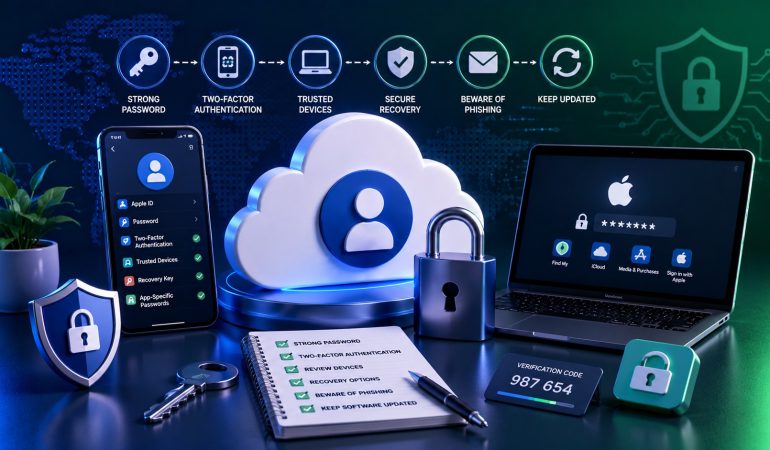
🚀 Quick Security Checklist
- ✅ Enable Two-Factor Authentication
- ✅ Use a Strong Unique Password
- ✅ Secure Recovery Information
- ✅ Monitor Trusted Devices
- ✅ Review Account Activity Regularly
- ✅ Protect Linked Email Accounts
- ✅ Update Software Frequently
According to Apple Support, protecting your Apple ID is essential because it serves as the primary authentication mechanism for Apple services, including iCloud, the App Store, FaceTime, Messages, and device synchronization.
This guide explores the most important Apple ID security strategies, common risks, advanced protection techniques, and practical steps that help strengthen account security.
📑 Table of Contents
- 🔐 Why Apple ID Security Matters
- ⚠️ Common Apple ID Security Risks
- 🛡️ Two-Factor Authentication Best Practices
- 🔑 Password Security Strategies
- 📱 Device Protection Essentials
- 👀 Monitoring Account Activity
- 🏢 Security for Businesses and Teams
- 🚀 Advanced Security Measures
- ❓ FAQ
- 🏁 Conclusion
🔐 Why Apple ID Security Matters More Than Ever
Modern Apple IDs control access to a vast amount of information.
A single account may contain:
- 📧 Email communications
- ☁️ iCloud files
- 📸 Photos and videos
- 📱 Device backups
- 💳 Payment methods
- 🛒 App purchases
- 📍 Location data
- 👥 Contact information
📊 What an Apple ID Typically Protects
| Service | Security Importance |
|---|---|
| iCloud Drive | ⭐⭐⭐⭐⭐ |
| Photos | ⭐⭐⭐⭐⭐ |
| Device Backups | ⭐⭐⭐⭐⭐ |
| App Store Purchases | ⭐⭐⭐⭐ |
| Messages | ⭐⭐⭐⭐⭐ |
| FaceTime | ⭐⭐⭐⭐ |
As Apple’s ecosystem continues to expand, the value of maintaining strong Apple ID account security becomes increasingly important.
⚠️ Common Apple ID Security Risks
Most account compromises occur because of preventable security mistakes.
🚨 Most Common Threats
| Threat | Risk Level | Prevention Method |
|---|---|---|
| Phishing Emails | High | Verify sender legitimacy |
| Weak Passwords | High | Use strong unique passwords |
| Password Reuse | High | Password manager usage |
| Unsecured Devices | Medium | Device locking |
| Outdated Software | Medium | Regular updates |
Organizations such as OWASP consistently identify credential theft and weak authentication practices as major causes of account compromise.
The majority of account breaches occur because attackers obtain credentials through phishing, reused passwords, or compromised recovery methods—not because Apple security systems fail.
🛡️ Two-Factor Authentication Best Practices
Two-Factor Authentication (2FA) is one of the most effective ways to protect an Apple ID.
Apple strongly recommends enabling 2FA for all accounts.
When enabled, logging in requires:
- Password verification
- Trusted device verification
📊 Benefits of Two-Factor Authentication
| Security Layer | Benefit |
|---|---|
| Password | Primary authentication |
| Verification Code | Secondary protection |
| Trusted Devices | Identity confirmation |
| Recovery Controls | Account restoration |
Detailed setup instructions are available through Apple’s Two-Factor Authentication documentation.
🔑 Password Security Strategies
Your password remains the first line of defense.
Strong password management significantly reduces risk.
✅ Password Best Practices
- 🔐 Use unique passwords
- 🔢 Include numbers and symbols
- 🔡 Use upper and lowercase letters
- 📏 Use longer passwords
- 🚫 Avoid personal information
- ♻️ Never reuse passwords
📊 Strong vs Weak Password Characteristics
| Weak Password | Strong Password |
|---|---|
| Short | Long |
| Predictable | Randomized |
| Personal Info | No Personal Info |
| Reused | Unique |
Many security professionals recommend password managers such as 1Password or Apple’s built-in iCloud Keychain for secure credential management.
Organizations managing multiple Apple ID accounts should establish standardized password policies to reduce security risks across teams.
📱 Device Protection Essentials for Apple ID Security
Even the strongest password cannot fully protect an account if the connected devices are insecure.
Every iPhone, iPad, MacBook, and Apple device linked to an Apple ID becomes part of the account’s overall security posture.
That’s why cybersecurity experts often say:
🔐 Your account is only as secure as the devices that access it.
📋 Core Device Security Measures
- 📱 Enable Face ID or Touch ID
- 🔒 Use a strong device passcode
- ☁️ Enable Find My
- 🔄 Install updates promptly
- 📍 Monitor trusted devices
- 🚫 Avoid jailbreaking devices
📊 Device Security Checklist
| Security Control | Importance | Status |
|---|---|---|
| Face ID / Touch ID | ⭐⭐⭐⭐⭐ | ☐ |
| Passcode Protection | ⭐⭐⭐⭐⭐ | ☐ |
| Find My Enabled | ⭐⭐⭐⭐ | ☐ |
| Latest iOS/macOS | ⭐⭐⭐⭐⭐ | ☐ |
| Trusted Device Review | ⭐⭐⭐⭐ | ☐ |
According to Apple’s Find My documentation, device recovery and remote management tools can significantly reduce risks associated with lost or stolen devices.
Review your trusted devices every month and remove any device you no longer use or recognize.
👀 Monitoring Account Activity Like a Security Professional
One of the simplest but most overlooked security practices is routine account monitoring.
Many account compromises are discovered only after suspicious activity occurs.
Proactive monitoring helps identify potential problems early.
🔍 What to Monitor Regularly
- 📱 Trusted devices list
- 📧 Security notification emails
- ☁️ iCloud activity
- 🔑 Password changes
- 📍 New login locations
- 💳 Payment method changes
📊 Monthly Security Review Framework
| Review Area | Frequency |
|---|---|
| Trusted Devices | Monthly |
| Password Audit | Quarterly |
| Recovery Information | Quarterly |
| Security Settings | Monthly |
| Software Updates | Weekly |
Organizations following security frameworks from resources like NIST often incorporate routine account reviews into broader cybersecurity programs.
📧 Protecting Your Recovery Email and Recovery Information
Many users focus heavily on passwords but neglect recovery methods.
In reality, compromised recovery information can be just as dangerous as a stolen password.
🚨 Recovery Security Risks
| Risk | Potential Consequence |
|---|---|
| Compromised Recovery Email | Account takeover |
| Outdated Phone Number | Recovery failure |
| Shared Recovery Access | Unauthorized access |
| Weak Recovery Security | Credential reset abuse |
📋 Recovery Security Best Practices
- 📧 Secure your primary email account
- 📱 Keep phone numbers current
- 🔒 Use 2FA on recovery accounts
- 📝 Document recovery procedures securely
- 🚫 Avoid sharing recovery access
Remember that attackers often target recovery channels first because they can bypass otherwise strong passwords.
🏢 Apple ID Security Best Practices for Businesses and Teams
Organizations managing multiple Apple IDs face additional challenges.
Unlike individual users, businesses must balance security, accessibility, scalability, and operational efficiency.
This becomes particularly important for:
- 🏢 Corporate environments
- 👨💻 Development teams
- 🧪 QA departments
- 📱 Device management teams
- 📈 Marketing agencies
- ☁️ Cloud-based operations
📊 Business Security Priorities
| Area | Priority Level |
|---|---|
| Access Control | ⭐⭐⭐⭐⭐ |
| Password Policies | ⭐⭐⭐⭐⭐ |
| Account Inventory | ⭐⭐⭐⭐ |
| Device Management | ⭐⭐⭐⭐⭐ |
| Audit Procedures | ⭐⭐⭐⭐ |
Businesses managing multiple Apple ID accounts should implement centralized documentation and access-management procedures to reduce operational risk.
🏢 Team Security RuleNever rely on individual employee memory for account access management. Maintain documented procedures and secure credential storage systems.
🔄 Software Updates: Your First Line of Defense
Software updates often contain critical security patches.
Delaying updates can leave devices vulnerable to known threats.
Apple regularly releases updates to address bugs, vulnerabilities, and security enhancements.
📊 Why Updates Matter
| Benefit | Security Impact |
|---|---|
| Bug Fixes | ⭐⭐⭐⭐ |
| Security Patches | ⭐⭐⭐⭐⭐ |
| Performance Improvements | ⭐⭐⭐ |
| Compatibility Updates | ⭐⭐⭐ |
Security advisories published by Apple Security Updates demonstrate how frequently software updates address important vulnerabilities.
📋 Update Management Checklist
- 🔄 Enable automatic updates
- 📱 Update all connected devices
- 💻 Review update notifications promptly
- 📊 Monitor security advisories
- ☁️ Backup before major upgrades
🚫 Avoiding Phishing and Social Engineering Attacks
Many security incidents begin with deception rather than technology.
Attackers often impersonate trusted organizations to trick users into revealing credentials.
⚠️ Common Phishing Signs
| Warning Sign | Risk Level |
|---|---|
| Urgent account warnings | High |
| Unexpected login requests | High |
| Suspicious email domains | High |
| Grammar mistakes | Medium |
| Unusual links | High |
Organizations such as CISA regularly publish guidance on recognizing phishing attacks and protecting online accounts.
Never click account-verification links from unsolicited emails. Instead, visit Apple’s website directly through your browser.
🔐 Password Managers and Credential Protection
Managing dozens of unique passwords manually is unrealistic.
Password managers reduce risk while improving usability.
📊 Password Management Methods
| Method | Security Level |
|---|---|
| Memory Only | ⭐⭐ |
| Written Notes | ⭐ |
| Spreadsheet Storage | ⭐ |
| Password Manager | ⭐⭐⭐⭐⭐ |
| iCloud Keychain | ⭐⭐⭐⭐⭐ |
Many security professionals recommend password management solutions because they encourage unique credentials for every account.
Organizations operating large inventories of verified Apple ID accounts often rely on secure password-management systems to maintain operational security.
🚀 Advanced Apple ID Security Measures for Maximum Protection
Basic security practices such as strong passwords and Two-Factor Authentication provide an excellent foundation, but advanced users, businesses, developers, and organizations often require additional layers of protection.
As cyber threats evolve, security strategies should evolve as well.
🛡️ Security MindsetThe most secure accounts are protected through multiple layers rather than relying on a single security feature.
📋 Advanced Protection Layers
- 🔐 Two-Factor Authentication
- 📱 Trusted Device Management
- ☁️ Secure Backup Procedures
- 📧 Protected Recovery Channels
- 🔄 Continuous Monitoring
- 🧑💻 Security Awareness Training
- 📊 Routine Security Audits
📊 Security Layer Effectiveness
| Security Control | Protection Level |
|---|---|
| Strong Password | ⭐⭐⭐⭐ |
| Two-Factor Authentication | ⭐⭐⭐⭐⭐ |
| Trusted Device Controls | ⭐⭐⭐⭐ |
| Recovery Security | ⭐⭐⭐⭐ |
| Routine Auditing | ⭐⭐⭐⭐⭐ |
Guidance from Apple Security and recommendations from NIST consistently emphasize layered security as one of the most effective defense strategies.
🏢 Enterprise Apple ID Security Framework
Businesses managing multiple Apple IDs face challenges that individual users rarely encounter.
As account inventories grow, maintaining visibility and control becomes increasingly important.
📊 Enterprise Security Model
| Security Area | Objective |
|---|---|
| Account Governance | Centralized oversight |
| Access Management | Controlled permissions |
| Credential Storage | Secure management |
| Device Tracking | Asset visibility |
| Security Auditing | Risk reduction |
Organizations utilizing multiple Apple ID accounts should establish documented ownership structures and account-management policies.
🏢 Enterprise Security Checklist
- ✅ Maintain account inventories
- ✅ Assign account ownership
- ✅ Review permissions regularly
- ✅ Secure credential storage
- ✅ Audit trusted devices
- ✅ Establish recovery procedures
📱 Securing Apple IDs Across Multiple Devices
Many users access a single Apple ID from multiple devices.
This convenience introduces additional security considerations.
Each connected device becomes a potential access point.
📊 Multi-Device Security Risks
| Scenario | Risk | Recommended Action |
|---|---|---|
| Lost Device | High | Remove access immediately |
| Old Device Retention | Medium | Review trusted devices |
| Shared Device Usage | High | Avoid shared credentials |
| Public Network Access | Medium | Use secure connections |
Apple’s ecosystem provides tools through Find My that help users locate, lock, and manage devices remotely.
Review trusted devices whenever you replace hardware, upgrade equipment, or change team members.
⚠️ Most Common Apple ID Security Mistakes
Many account compromises result from avoidable mistakes rather than sophisticated attacks.
Understanding these mistakes can significantly improve overall security.
🚨 Top Security Errors
| Mistake | Risk Level |
|---|---|
| Password Reuse | ⭐⭐⭐⭐⭐ |
| Ignoring Security Alerts | ⭐⭐⭐⭐ |
| Disabled 2FA | ⭐⭐⭐⭐⭐ |
| Outdated Devices | ⭐⭐⭐⭐ |
| Weak Recovery Security | ⭐⭐⭐⭐⭐ |
| Unverified Email Links | ⭐⭐⭐⭐⭐ |
📋 What Secure Users Do Differently
- 🔐 Use unique passwords
- 🛡️ Enable 2FA
- 📱 Monitor trusted devices
- ☁️ Review account settings regularly
- 📧 Protect recovery channels
- 🔄 Install updates quickly
Security awareness remains one of the most effective defenses against modern cyber threats.
🔮 Future Trends in Apple ID Account Security
The cybersecurity landscape continues evolving.
Future security strategies will likely focus on reducing reliance on passwords and improving identity verification mechanisms.
📈 Emerging Security Trends
- 🔑 Passkeys
- 📱 Biometric authentication
- 🤖 AI-powered threat detection
- ☁️ Advanced account monitoring
- 📊 Behavioral security analytics
- 🛡️ Stronger identity verification
📊 Future Security Technologies
| Technology | Expected Impact |
|---|---|
| Passkeys | Very High |
| Biometrics | High |
| AI Detection Systems | High |
| Behavioral Analysis | Medium-High |
| Passwordless Authentication | Very High |
Apple has already invested heavily in passkey technology through initiatives aligned with standards supported by the FIDO Alliance.
📋 Apple ID Security Audit Checklist
Use the following checklist to evaluate your current security posture.
| Security Item | Status |
|---|---|
| Two-Factor Authentication Enabled | ☐ |
| Strong Unique Password | ☐ |
| Recovery Email Secured | ☐ |
| Trusted Devices Reviewed | ☐ |
| Software Fully Updated | ☐ |
| Find My Enabled | ☐ |
| Password Manager Used | ☐ |
| Security Alerts Reviewed | ☐ |
🏆 Security ScorecardChecking every box above places your account security well above the average user and significantly reduces the likelihood of unauthorized access.
❓ Frequently Asked Questions
❓ What is the most important Apple ID security feature?
Two-Factor Authentication is widely considered one of the most effective security controls because it adds a second verification layer beyond the password.
❓ How often should I change my Apple ID password?
There is no fixed schedule, but changing passwords immediately after suspected compromise and maintaining strong unique credentials is recommended.
❓ Can a strong password alone protect my account?
Strong passwords are important, but combining them with Two-Factor Authentication and device monitoring provides much stronger protection.
❓ Why should I review trusted devices?
Trusted devices can receive verification codes and access account services. Removing unused devices reduces risk.
❓ Are password managers safe?
When used properly, reputable password managers can improve security by enabling unique passwords for every account.
❓ What should I do if I receive a suspicious Apple email?
Do not click links directly. Instead, visit Apple’s official website manually and verify account activity through your account settings.
❓ How can businesses improve Apple ID account security?
Businesses should implement account governance, access controls, password policies, auditing procedures, and secure credential management systems.
❓ Where can organizations obtain managed account solutions?
Organizations looking to scale operations often evaluate Apple ID accounts, verified iCloud accounts, business Apple ID solutions, and secure Apple account inventory to support operational requirements.
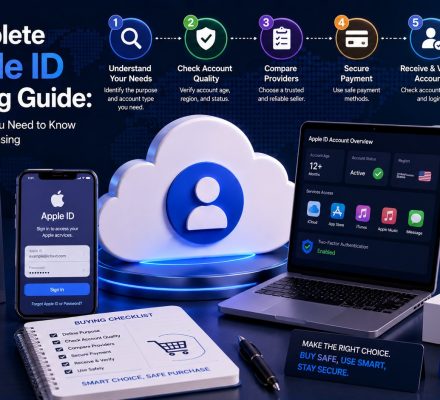
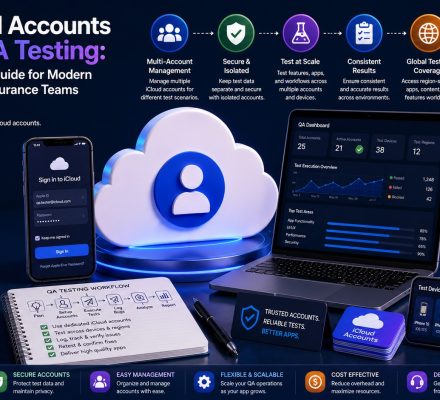
Strong security practices are essential when managing Apple IDs across personal or business environments. Organizations handling large numbers of accounts should also read How to Manage Multiple iCloud Accounts. Before purchasing any account, consult the Complete Apple ID Buying Guide for additional recommendations.
✅ Key Takeaways
- 🔐 Apple ID account security protects access to your entire Apple ecosystem.
- 🛡️ Two-Factor Authentication should be enabled on every account.
- 🔑 Strong, unique passwords remain essential.
- 📱 Device security directly affects account security.
- 👀 Routine account monitoring helps detect threats early.
- 📧 Recovery information should be protected and updated.
- 🏢 Businesses require structured account-governance procedures.
- ⚠️ Phishing remains one of the most common threats.
- 🔄 Software updates play a critical role in security.
- 🚀 Layered security provides the strongest protection.
🏁 Conclusion
Strong Apple ID account security is no longer optional in today’s connected digital environment.
Your Apple ID provides access to sensitive data, cloud services, personal information, purchases, and connected devices. Protecting that access requires a combination of strong authentication, device security, routine monitoring, secure recovery procedures, and ongoing vigilance.
Whether you’re an individual user, a developer, a software testing team, or a large organization, adopting security best practices dramatically reduces risk and improves long-term account protection.
Businesses managing multiple Apple ID accounts, maintaining verified iCloud accounts, operating with business Apple ID solutions, or scaling through managed Apple account inventory should prioritize governance, documentation, and continuous security reviews.
Ultimately, security is not a one-time setup. It is an ongoing process. The organizations and individuals who consistently follow best practices are the ones most likely to keep their accounts protected against evolving threats.