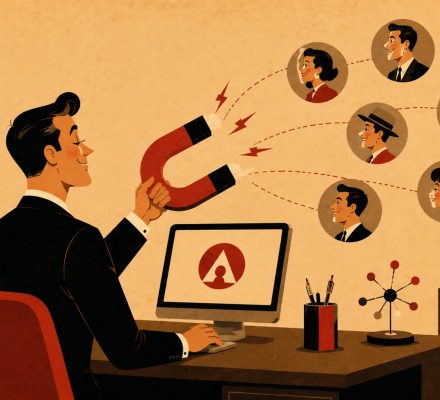
If your emails are landing in spam folders, experiencing high bounce rates, or struggling to reach AOL users consistently, this AOL email deliverability guide will help you understand exactly why it happens and what you can do to improve inbox placement.
Email deliverability remains one of the most important factors in the success of any email marketing, outreach, customer communication, or transactional messaging strategy. Even the most compelling email campaign will fail if messages never reach the recipient’s inbox.
While Gmail and Outlook often dominate deliverability discussions, AOL Mail continues to serve millions of active users, particularly across the United States. Because AOL shares infrastructure and technology with Yahoo Mail, understanding AOL deliverability can also provide valuable insights into broader email ecosystem performance.
Whether you’re running outreach campaigns, newsletters, lead nurturing sequences, customer notifications, or business communications, mastering AOL deliverability can significantly improve campaign performance and ROI.
📌 What You’ll Learn In This AOL email deliverability Guide
- How AOL spam filtering works
- Critical authentication requirements
- Sender reputation best practices
- AOL-specific warm-up strategies
- Common deliverability mistakes
- Inbox placement optimization techniques
- Monitoring and reputation management
- Long-term deliverability maintenance
📑 Table of Contents
- 📌 Why AOL Still Matters for Email Marketers
- 📌 How AOL Spam Filtering Works
- 📌 Understanding Sender Reputation
- 📌 Technical Setup Requirements
- 📌 SPF, DKIM & DMARC Explained
- 📌 Warm-Up Strategy for AOL Accounts
- 📌 Content Optimization for AOL
- 📌 Common Deliverability Mistakes
🤔 Why AOL Still Matters for Email Marketers
Many marketers focus almost exclusively on Gmail and Outlook, assuming AOL is no longer relevant. However, that assumption can be costly.
AOL Mail continues to maintain a substantial and loyal user base. Many AOL users have been using the same email addresses for years, making them highly valuable for businesses targeting long-term customers, professionals, homeowners, retirees, and established consumer demographics.
Unlike newer communication platforms where users frequently switch accounts, AOL users often maintain consistent inbox habits and regularly engage with email communications.
According to information published about AOL Mail, the service remains one of the most recognized legacy email providers and continues serving millions of active users worldwide.
📊 Why Deliverability Matters More Than Open Rates
Many marketers focus heavily on open rates and click-through rates while overlooking deliverability.
However, deliverability affects every other metric.
| Metric | Depends On Deliverability? |
|---|---|
| Open Rate | ✅ Yes |
| Click Rate | ✅ Yes |
| Conversions | ✅ Yes |
| Revenue | ✅ Yes |
| Customer Engagement | ✅ Yes |
If emails never reach the inbox, every downstream metric suffers.
Before optimizing subject lines, copywriting, or call-to-actions, ensure your emails are consistently reaching inboxes. Deliverability is the foundation of email marketing success.
This is also why many businesses invest in reliable AOL email account resources when building outreach and communication systems. Account quality can influence deliverability outcomes from the very beginning.
🛡️ How AOL Spam Filtering Works
AOL uses a combination of sender reputation analysis, authentication verification, engagement metrics, and content evaluation to determine where messages should be placed.
Unlike Gmail’s heavily AI-driven filtering system, AOL still relies significantly on reputation-based scoring models.
Several factors influence AOL inbox placement decisions.
- 📍 Sender IP reputation
- 📍 Domain reputation
- 📍 Authentication status
- 📍 Complaint history
- 📍 Bounce rates
- 📍 Content quality
- 📍 Sending consistency
- 📍 User engagement
📈 Reputation Is Everything
One of the most important concepts in any AOL email deliverability guide is sender reputation.
AOL tracks historical behavior and uses that information when evaluating future messages.
Strong reputations generally lead to:
- Higher inbox placement
- Lower spam folder rates
- Reduced throttling
- Improved delivery consistency
Poor reputations often result in:
- Spam placement
- Bulk folder placement
- Temporary blocks
- Permanent filtering issues
| Filtering Factor | Importance Level | Impact |
|---|---|---|
| IP Reputation | Very High | Major influence on inbox placement |
| Domain Reputation | Very High | Critical trust signal |
| Authentication | Very High | Required for trust validation |
| Complaints | Very High | Can quickly damage reputation |
| Content Quality | Medium | Supports overall scoring |
| Engagement | Medium | Positive behavioral signal |
Many deliverability issues blamed on spam filters are actually reputation problems. AOL often reacts to sender history more aggressively than marketers realize.
⭐ Understanding Sender Reputation
Sender reputation acts like a credit score for your email program.
Every campaign, every recipient interaction, and every complaint contributes to the reputation AOL associates with your domain and IP address.
Several signals influence sender reputation:
- Positive engagement
- Email opens
- Replies
- Link clicks
- Low complaint rates
- Low bounce rates
- Consistent sending patterns
Negative signals include:
- Spam complaints
- Hard bounces
- Purchased email lists
- Sudden volume spikes
- Inactive recipient engagement
Businesses that use proper AOL account maintenance practices often experience fewer reputation-related deliverability problems over time.
🚨 Complaint Rates Matter More Than Most Marketers Think
AOL has historically maintained relatively low tolerance thresholds for spam complaints.
Even a small increase in complaint volume can negatively affect deliverability.
To reduce complaints:
- Only email interested recipients
- Honor unsubscribe requests immediately
- Avoid misleading subject lines
- Maintain consistent sending expectations
- Segment audiences carefully
Purchasing generic email lists remains one of the fastest ways to damage sender reputation and trigger AOL spam filtering systems.
⚙️ Technical Setup Requirements
Before content optimization or warm-up strategies can work, technical authentication must be properly configured.
This technical foundation serves as the trust layer between your email program and AOL’s servers.
Without proper setup, even legitimate campaigns can struggle to reach inboxes.
🔧 Core Technical Requirements
- ✅ SPF configuration
- ✅ DKIM signing
- ✅ DMARC implementation
- ✅ Reverse DNS setup
- ✅ Valid sending domain
- ✅ Consistent sender identity
Google’s official email authentication documentation emphasizes that authentication has become a baseline requirement across major mailbox providers.
Organizations running outreach operations often pair technical best practices with professionally managed verified AOL account options to establish a stronger foundation for deliverability.
🔑 SPF, DKIM & DMARC Explained
No AOL email deliverability guide would be complete without discussing authentication protocols.
Authentication helps AOL verify that your messages are genuinely coming from your domain.
| Protocol | Purpose | Importance |
|---|---|---|
| SPF | Authorizes sending servers | High |
| DKIM | Verifies message integrity | High |
| DMARC | Policy enforcement | High |
When these protocols align properly, AOL gains confidence that messages are legitimate.
Authentication failures often lead to:
- Spam folder placement
- Inbox suppression
- Delivery failures
- Trust score reductions
🚀 Quick Summary So Far
- AOL remains an important email platform.
- Sender reputation drives deliverability.
- Authentication is mandatory.
- Complaint rates significantly impact inbox placement.
- Technical setup should be completed before scaling campaigns.
🔥 Warm-Up Strategy for AOL Accounts
One of the most overlooked topics in any AOL email deliverability guide is account and domain warm-up.
Many marketers spend weeks designing campaigns but skip the reputation-building process required before sending at scale.
AOL’s filtering systems closely monitor sending behavior, especially from new domains, new IP addresses, and newly active email accounts.
If you suddenly increase volume without establishing trust first, AOL may interpret that activity as suspicious.
📈 Why Warm-Up Matters
Warm-up helps AOL collect positive behavioral signals about your sending environment.
During the warm-up process, mailbox providers evaluate:
- Open rates
- Reply rates
- Complaint rates
- Bounce rates
- Sending consistency
- User engagement
The goal is to gradually demonstrate that recipients actually want your emails.
📅 Recommended 4-Week AOL Warm-Up Framework
| Week | Daily Volume | Primary Goal |
|---|---|---|
| Week 1 | 20–50 Emails | Generate positive engagement |
| Week 2 | 100–200 Emails | Maintain consistency |
| Week 3 | 300–500 Emails | Expand audience gradually |
| Week 4 | 800–1,500 Emails | Scale responsibly |
Start with your most engaged contacts first. Recipients who regularly open, click, and reply provide valuable positive signals.
This gradual approach is especially important when working with AOL accounts for email marketing campaigns where reputation directly influences inbox placement.
🚫 Warm-Up Mistakes to Avoid
- Sending thousands of emails on day one
- Using cold purchased lists immediately
- Ignoring bounce reports
- Changing sending patterns constantly
- Launching multiple campaigns simultaneously
- Using unverified recipient data
Consistency is often more important than volume. AOL generally prefers predictable sending patterns over aggressive growth spikes.
✍️ Content Optimization for AOL Deliverability
Technical setup alone cannot guarantee inbox placement. AOL also evaluates message content to determine whether emails appear trustworthy and relevant.
Good content improves engagement metrics, reduces complaints, and strengthens sender reputation.
📧 Subject Line Best Practices
Subject lines heavily influence opens and complaints.
Effective subject lines should be:
- Clear
- Relevant
- Honest
- Specific
- Consistent with email content
Avoid excessive urgency, misleading claims, and spam-like wording.
| Recommended | Avoid |
|---|---|
| Your Monthly Account Update | URGENT!!! OPEN NOW!!! |
| Project Status Report | Guaranteed Success Today |
| Meeting Confirmation | 100% FREE MONEY |
🔗 Link Management Matters
Excessive links can negatively affect deliverability.
AOL may treat heavily linked messages as promotional or suspicious if link-to-text ratios appear unnatural.
Best practices include:
- Use only necessary links
- Link to trusted domains
- Avoid URL shorteners
- Maintain balanced formatting
- Use descriptive anchor text
For example, marketers researching email performance often reference authoritative resources from Mailchimp, Sender, and Postmark when developing deliverability strategies.
📱 Mobile-Friendly Formatting
Many AOL users access email through mobile devices.
Messages should be:
- Easy to read
- Scannable
- Properly spaced
- Responsive
- Visually organized
Poor formatting often reduces engagement, which indirectly affects future inbox placement.
❌ Common Deliverability Mistakes That Hurt AOL Performance
Many deliverability issues are self-inflicted.
Understanding common mistakes can prevent months of reputation recovery work.
🚫 Sending Without Authentication
Missing SPF, DKIM, or DMARC records remains one of the most common causes of inbox placement issues.
Authentication serves as a trust signal. Without it, AOL has fewer reasons to trust incoming messages.
🚫 Ignoring List Hygiene
Email lists naturally decay over time.
People change jobs, abandon accounts, and stop engaging.
Regular list cleaning helps reduce:
- Hard bounces
- Spam complaints
- Inactive subscribers
- Reputation damage
🚫 Sending to Inactive Contacts Forever
Continuing to email disengaged recipients can gradually lower engagement metrics.
Mailbox providers interpret low engagement as a sign that recipients do not value your content.
Consider re-engagement campaigns before removing inactive subscribers.
🚫 Poor Segmentation
Sending identical content to every subscriber often produces weak engagement.
Segmentation can improve:
- Open rates
- Click-through rates
- Conversions
- Inbox placement
Effective segmentation categories include:
- Geography
- Purchase history
- Industry
- Customer lifecycle stage
- Engagement history
Building a strong sender reputation may take weeks or months, but damaging it can happen in a single poorly executed campaign.
📊 AOL vs Yahoo Deliverability: Understanding the Connection
Because AOL and Yahoo share infrastructure, many deliverability principles overlap between both platforms.
However, marketers should never assume identical results.
Testing remains important.
| Factor | AOL | Yahoo Mail |
|---|---|---|
| Infrastructure | Shared | Shared |
| Authentication Importance | High | High |
| Complaint Sensitivity | Very High | Very High |
| Warm-Up Requirement | Essential | Essential |
| Reputation Dependence | Strong | Strong |
Businesses that operate across multiple inbox providers often combine AOL campaigns with strategies discussed in our guide about Yahoo Mail deliverability to develop a more complete understanding of inbox placement performance.
🚀 Advanced AOL Deliverability Strategies
Once the fundamentals are in place, advanced optimization can further improve performance.
👥 Engagement-Based Sending
Rather than sending to every subscriber equally, prioritize engaged users.
Focus on recipients who:
- Opened recently
- Clicked recently
- Replied recently
- Converted recently
Positive engagement often improves reputation signals across entire sending programs.
📈 Gradual Scaling
Successful senders rarely double or triple volume overnight.
Instead, they scale predictably.
For example:
- 1,000 emails/day
- 1,200 emails/day
- 1,500 emails/day
- 1,800 emails/day
Gradual growth appears more natural to mailbox providers.
📊 Monitor Deliverability Metrics Weekly
Key metrics include:
- Inbox placement rate
- Bounce rate
- Complaint rate
- Open rate
- Click-through rate
- Reply rate
Early detection allows faster problem resolution.
Successful email programs are built on consistency, trust, and reputation. If you’re managing multiple outreach assets, our guides on how to maintain AOL accounts properly, AOL accounts for email marketing, and broader account management strategies can help support long-term deliverability performance.
📌 Key Takeaways
- Warm-up is essential for reputation building.
- Content quality influences inbox placement.
- Authentication alone is not enough.
- List hygiene directly impacts deliverability.
- Engagement metrics matter more than many marketers realize.
- Gradual scaling reduces filtering risks.
📡 Monitoring and Maintaining Your Sender Reputation
Deliverability is not a one-time setup task. Even well-performing email programs can experience inbox placement issues if monitoring is neglected.
The most successful senders treat deliverability as an ongoing process rather than a project with a finish line.
This AOL email deliverability guide would be incomplete without discussing how to actively monitor sender health and identify problems before they impact campaign performance.
📊 Key Deliverability Metrics to Track
Several metrics provide insight into AOL inbox placement performance.
| Metric | What It Indicates | Target Range |
|---|---|---|
| Delivery Rate | Successful message acceptance | 98%+ |
| Bounce Rate | List quality issues | Below 2% |
| Complaint Rate | Spam dissatisfaction | Below 0.1% |
| Open Rate | Engagement quality | Varies by industry |
| Click Rate | Content relevance | Industry dependent |
| Unsubscribe Rate | Audience fit | Low and stable |
Monitoring these metrics consistently helps identify reputation problems before they become serious.
🔍 Signs Your AOL Deliverability Is Declining
Many senders fail to notice early warning signals.
Common indicators include:
- Sudden drop in open rates
- Increased AOL-specific bounces
- Growing complaint rates
- Delayed message delivery
- Lower reply rates
- Reduced engagement across campaigns
When these signals appear, reviewing recent campaigns often reveals the underlying cause.
🚨 Understanding Blocklists and Reputation Systems
Blocklists remain an important component of modern deliverability systems.
If your sending infrastructure appears on major blocklists, inbox placement can suffer dramatically.
Many mailbox providers, including AOL, evaluate reputation signals originating from multiple data sources.
📌 Common Causes of Blocklisting
- High spam complaint rates
- Large volumes of bounced emails
- Compromised accounts
- Spam trap hits
- Poor list acquisition practices
- Unauthorized sending activity
Organizations that follow proper account management procedures generally encounter fewer reputation-related problems.
This is one reason many businesses invest in trusted AOL account solutions when building scalable communication infrastructures.
🛠️ What To Do If AOL Starts Blocking Emails
If AOL begins throttling or blocking your messages:
- Pause high-volume campaigns.
- Review recent complaint rates.
- Audit authentication records.
- Check bounce logs.
- Analyze engagement trends.
- Reduce volume temporarily.
- Resume gradually after corrections.
Reputation recovery usually requires patience and consistent positive behavior.
Switching IP addresses without fixing underlying reputation problems rarely solves deliverability issues permanently.
📊 AOL vs Gmail vs Outlook Deliverability Comparison
Every mailbox provider evaluates email differently.
Understanding those differences helps marketers build platform-specific strategies.
| Factor | AOL | Gmail | Outlook |
|---|---|---|---|
| Filtering Style | Reputation + Content | AI + Engagement | Reputation + SmartScreen |
| Complaint Sensitivity | Very High | Moderate | High |
| Authentication Importance | Very High | Very High | Very High |
| Warm-Up Requirement | Essential | Essential | Essential |
| Volume Spike Sensitivity | High | Moderate | High |
Resources from Mailchimp, Postmark, and SendGrid consistently emphasize that deliverability success depends on reputation, authentication, and engagement regardless of mailbox provider.
🔮 Future Trends in AOL Email Deliverability
Email ecosystems continue evolving as mailbox providers refine spam prevention systems and authentication requirements.
Several trends are shaping the future of deliverability.
- 🤖 Increased AI-assisted filtering
- 📈 Greater emphasis on engagement signals
- 🔐 Stronger authentication requirements
- 📊 More advanced reputation modeling
- 🌍 Cross-provider reputation sharing
- 📱 Mobile-first email experiences
Organizations that prioritize deliverability fundamentals today are generally better prepared for future algorithm changes.
🏢 AOL Deliverability for Different Business Types
Deliverability challenges vary depending on business objectives.
📈 Marketing Agencies
Agencies often manage multiple campaigns across numerous clients.
Strong deliverability processes help maintain consistent performance and protect sender reputation.
🛒 E-Commerce Brands
E-commerce companies rely heavily on transactional emails, order confirmations, support communications, and promotional campaigns.
Inbox placement directly affects customer experience and revenue.
🚀 Startups
Growing businesses frequently depend on outreach, prospecting, and relationship-building communications.
Deliverability problems can slow growth significantly.
🤝 B2B Outreach Teams
Cold outreach campaigns require careful warm-up, strong list quality, and ongoing reputation management.
Many teams combine deliverability best practices with professional AOL email marketing account strategies to support scalable outreach efforts.
⭐ AOL Deliverability Best Practices Checklist
The following checklist summarizes the most important recommendations from this AOL email deliverability guide.
- ✅ Configure SPF correctly
- ✅ Enable DKIM signing
- ✅ Implement DMARC policies
- ✅ Warm up domains gradually
- ✅ Monitor sender reputation
- ✅ Maintain clean email lists
- ✅ Avoid purchased contact databases
- ✅ Track complaint rates closely
- ✅ Monitor bounce rates regularly
- ✅ Use clear unsubscribe options
- ✅ Segment audiences effectively
- ✅ Scale sending volumes gradually
- ✅ Review analytics weekly
- ✅ Maintain account quality standards
For businesses managing multiple accounts, maintaining account quality is just as important as technical deliverability optimization. Explore related resources including how to maintain AOL accounts properly, AOL accounts for email marketing, and broader account management workflows designed for scalable communication systems.
❓ Frequently Asked Questions
What is AOL email deliverability?
AOL email deliverability refers to the ability of emails to successfully reach AOL recipients’ inboxes rather than being filtered into spam folders or blocked entirely. It is influenced by sender reputation, authentication, engagement, and content quality.
Why are my AOL emails going to spam?
Common causes include poor sender reputation, missing SPF/DKIM/DMARC records, high complaint rates, excessive volume spikes, and low recipient engagement.
How important is SPF for AOL deliverability?
SPF is extremely important because it helps AOL verify that authorized servers are sending messages on behalf of your domain.
Does AOL require DKIM?
While requirements evolve over time, DKIM has become a standard authentication mechanism that significantly improves trust and deliverability.
How long should I warm up a new AOL account?
Most email professionals recommend a gradual warm-up period of approximately three to four weeks depending on intended sending volume.
Does AOL share infrastructure with Yahoo Mail?
Yes. AOL and Yahoo share significant infrastructure components, which means many deliverability principles overlap between the two platforms.
Can sender reputation be repaired?
Yes. Reputation recovery is possible through improved list quality, reduced complaints, proper authentication, consistent sending practices, and positive recipient engagement.
What is the biggest mistake that hurts AOL deliverability?
For most senders, poor list quality combined with inadequate authentication causes the largest deliverability problems.
Do unsubscribe links affect AOL inbox placement?
Yes. Clear unsubscribe options reduce spam complaints and support long-term sender reputation health.
Are AOL accounts still useful for email marketing?
Absolutely. AOL continues to maintain an active user base, making it an important channel for many marketers, agencies, and businesses.
🏁 Conclusion
This comprehensive AOL email deliverability guide demonstrates that successful inbox placement depends on far more than simply sending emails. Authentication, sender reputation, engagement, list quality, content relevance, and ongoing monitoring all play critical roles in determining whether messages reach AOL users successfully.
Organizations that invest time in proper warm-up procedures, technical authentication, reputation management, and audience engagement consistently achieve stronger deliverability outcomes than those relying on shortcuts.
From SPF, DKIM, and DMARC implementation to sender reputation monitoring and engagement optimization, every component contributes to long-term email success.
Businesses operating outreach programs, customer communication systems, newsletters, or marketing campaigns should approach deliverability as an ongoing discipline rather than a one-time setup process.
Combined with responsible account management, scalable infrastructure, and reliable AOL account solutions, these best practices can help improve inbox placement, strengthen sender reputation, and support sustainable email performance over the long term.
As mailbox providers continue evolving their filtering systems, organizations that focus on trust, consistency, and recipient value will remain best positioned for deliverability success.